Agent Performance Analytics
Measure support agent performance with ticket volume, resolution time, SLA compliance and workload insights to improve team efficiency.
The Agent Performance tab provides detailed insights into how individual support agents manage their assigned tickets. This dashboard helps support managers evaluate workload distribution, monitor resolution efficiency, and identify both high-performing agents and those who may require additional support.
By analyzing agent-level performance metrics, teams can ensure balanced workloads and maintain consistent support quality.
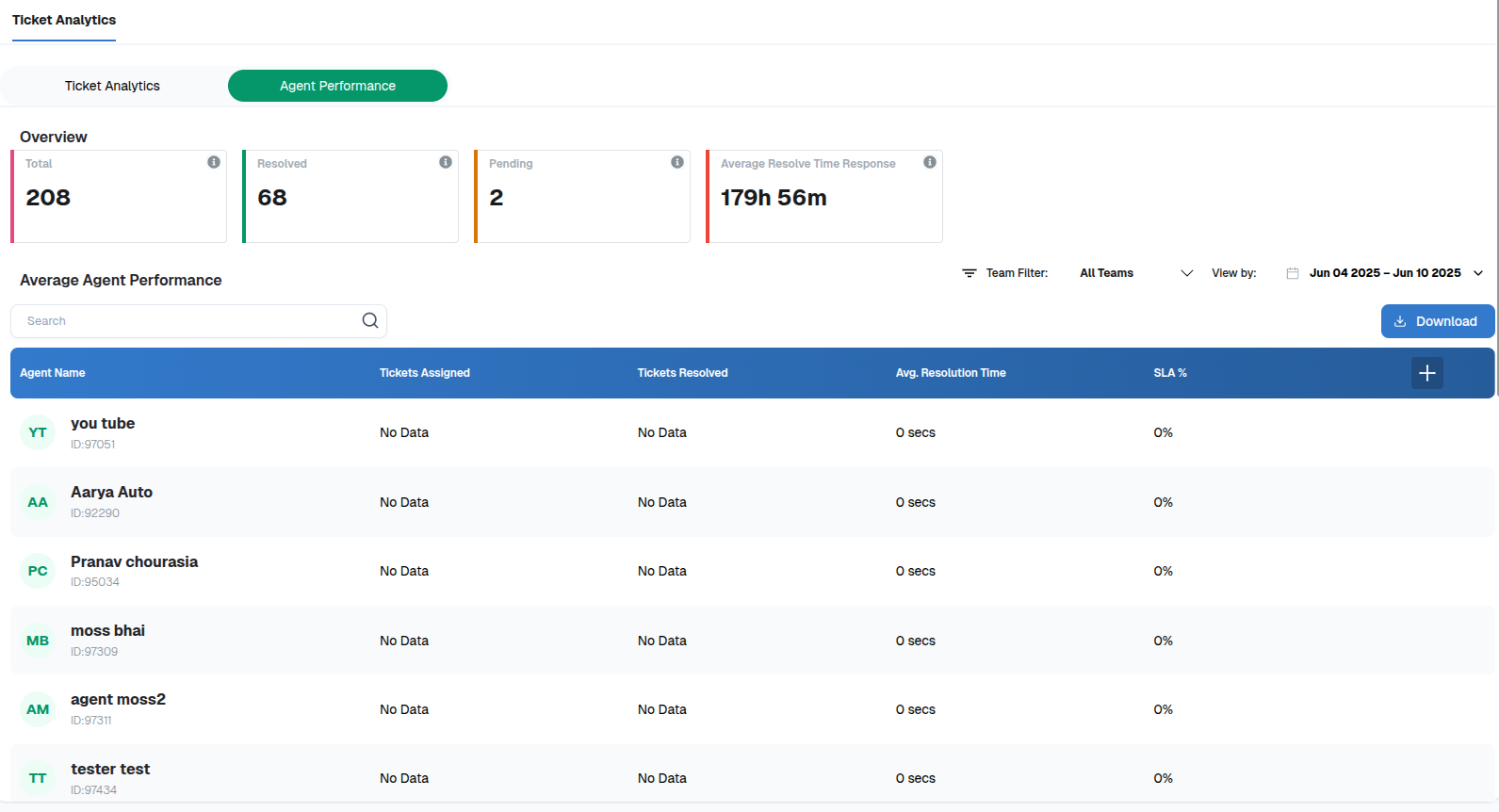
Key Metrics:
The Agent Performance dashboard includes the following metrics for each support agent.
Total Tickets Assigned: Displays the number of tickets allocated to each agent, helping managers understand workload distribution across the team.
Tickets Resolved: Shows how many tickets each agent has successfully resolved. This metric helps evaluate an agent’s overall productivity and effectiveness.
Average Resolution Time: Indicates the average time taken by an agent to resolve tickets. For example, one agent may resolve tickets within 4 hours, while another may take 2 days on average.
SLA Compliance Percentage: Represents the percentage of tickets resolved by an agent within the defined Service Level Agreement (SLA) timeframe. This metric helps measure an agent’s reliability in meeting response and resolution commitments.
Filtering and Search Options
The dashboard provides several tools to analyze agent performance more effectively.
Agent Search: Search for specific agents using their name or ID.
Team Filters: If multiple support teams are configured, filter the data to view performance metrics for a specific team.
Date Filters: Analyze agent performance over selected time periods, such as:
This week
This month
Custom date ranges
Exporting Reports
You can export the performance data for reporting or analysis.
Click the Download button located in the top-right corner of the screen.
The report will be generated and downloaded in Excel format.
This allows teams to share insights and perform deeper analysis outside the platform.
Why It Matters
The Agent Performance Analytics dashboard helps organizations improve support operations by enabling them to:
Monitor unresolved or aging tickets in real time.
Track SLA compliance and ticket resolution speed.
Identify high-performing agents as well as agents who may need support or training.
Analyze ticket trends and workload distribution using volume and priority insights.