Click to WhatsApp (CTWA)
Click to WhatsApp (CTWA) is a direct-response marketing feature that allows users to start a WhatsApp conversation with a business through a single click. By embedding a WhatsApp link or button in digital ads, social med
Click to WhatsApp (CTWA) is a direct-response marketing feature that allows users to start a WhatsApp conversation with a business through a single click. By embedding a WhatsApp link or button in digital ads, social media posts, emails, or website pages, businesses can create an instant communication channel with potential customers.
This feature can also include prefilled messages, allowing users to initiate conversations quickly, making it ideal for lead generation, customer support, and engagement.
Accessing Click to WhatsApp Analytics
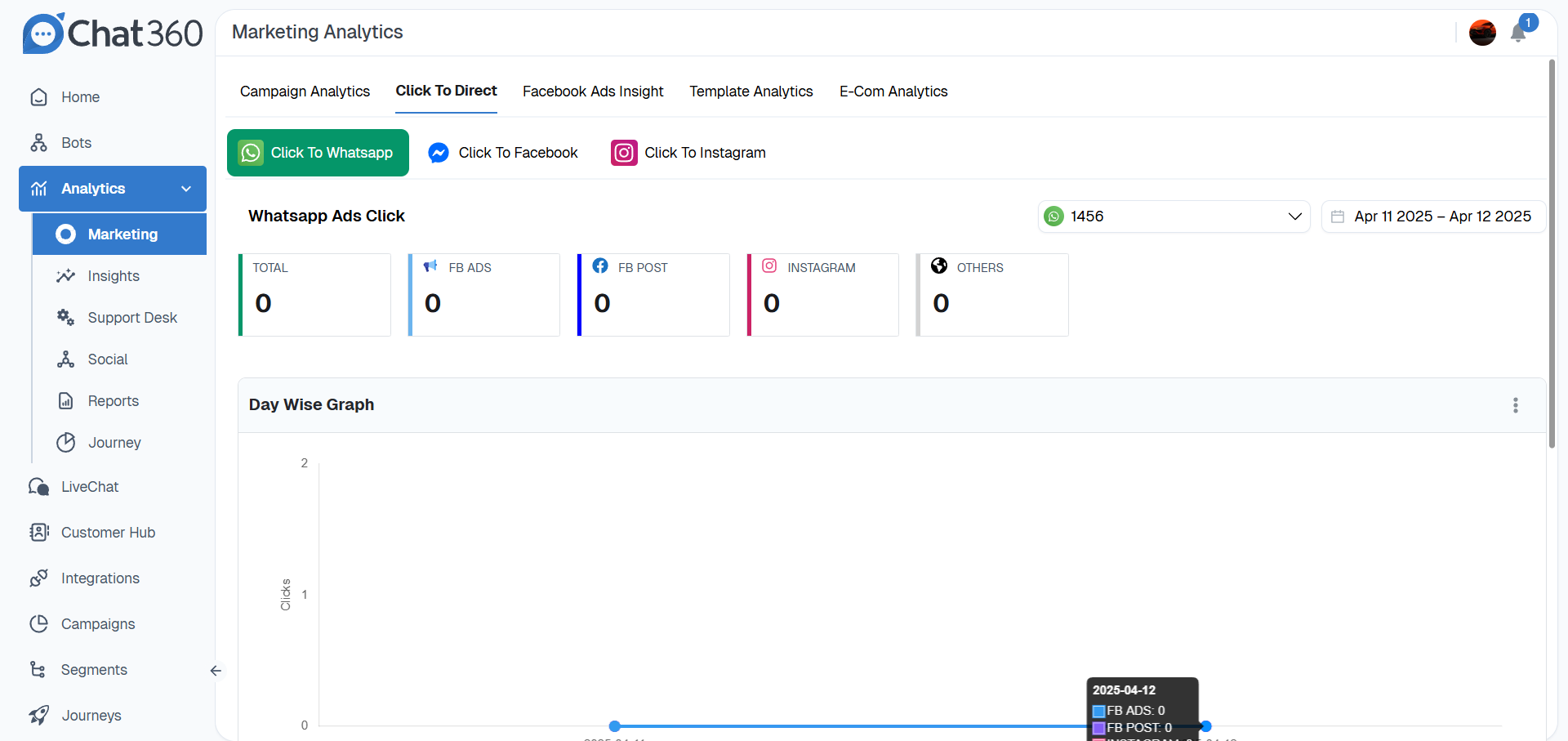
Path: Analytics → Marketing → Click to Direct → Click to WhatsApp
To view Click to WhatsApp analytics:
In the Chat360 dashboard, open the left sidebar.
Click Analytics.
Select Marketing.
From the top tabs, choose Click to Direct.
Click Click to WhatsApp.
Key Metrics
The Click to WhatsApp dashboard provides several key metrics to measure user engagement.
Metric | Description |
|---|---|
Total Clicks | Displays the total number of times users clicked the WhatsApp link. |
Source Breakdown | Counts by origin channel (e.g., Facebook Ads, Facebook Post, Instagram, Others). |
Date Filter | Allows users to analyze click activity over a selected timeframe, such as daily, weekly, or monthly. |
Channel Selector | Switch between WhatsApp, Facebook Messenger, or Instagram click-through analytics. |
Visual Analytics
The dashboard also includes visual charts to help interpret engagement trends.
Overview Cards — Color-coded summary cards display the total number of clicks and clicks generated from individual channels.
Day-wise Graph — A line chart showing daily click activity by channel. Hovering over a data point reveals the exact number of clicks for that date and source.
Usage and Benefits
Lead Generation — Businesses can add Click to WhatsApp links to marketing campaigns, allowing prospects to start a conversation instantly. Prefilled messages such as "I'm interested in pricing" can help initiate inquiries quickly.
Customer Support — Companies can place CTWA buttons on website pages or email campaigns to provide users with quick access to support through WhatsApp.
Campaign Optimization — By analyzing the source breakdown, teams can determine which marketing channels — such as Instagram or Facebook — generate the most engagement and adjust their campaign strategies accordingly.
Engagement Tracking — Daily click data helps identify peak engagement periods, enabling businesses to optimize campaign timing and messaging schedules.
Best Practices
Use Prefilled Messages
Include clear and concise prefilled messages such as "Hi, I'd like a demo link" to guide users in starting the conversation.
Strategic Placement
Position buttons above the fold or at key decision points (product pages, pricing tiers).