Click to Instagram
Click to Instagram enables users to move directly from digital touchpoints—such as advertisements, emails, or website pages—into your Instagram presence with a single click. These links can redirect users to your Instagr
Click to Instagram enables users to move directly from digital touchpoints—such as advertisements, emails, or website pages—into your Instagram presence with a single click. These links can redirect users to your Instagram profile, a specific post, or a direct message (DM) conversation.
By providing a quick and seamless path to Instagram, businesses can convert casual viewers into followers, product explorers, or potential leads on one of the most engagement-driven social media platforms.
Accessing Click to Instagram Analytics
Path: Analytics → Marketing → Click to Direct → Click to Instagram
To access Click to Instagram analytics:
Open the Chat360 dashboard.
Navigate to Analytics in the left sidebar.
Select Marketing.
Click the Click to Direct tab.
Choose Click to Instagram.
Key Metrics
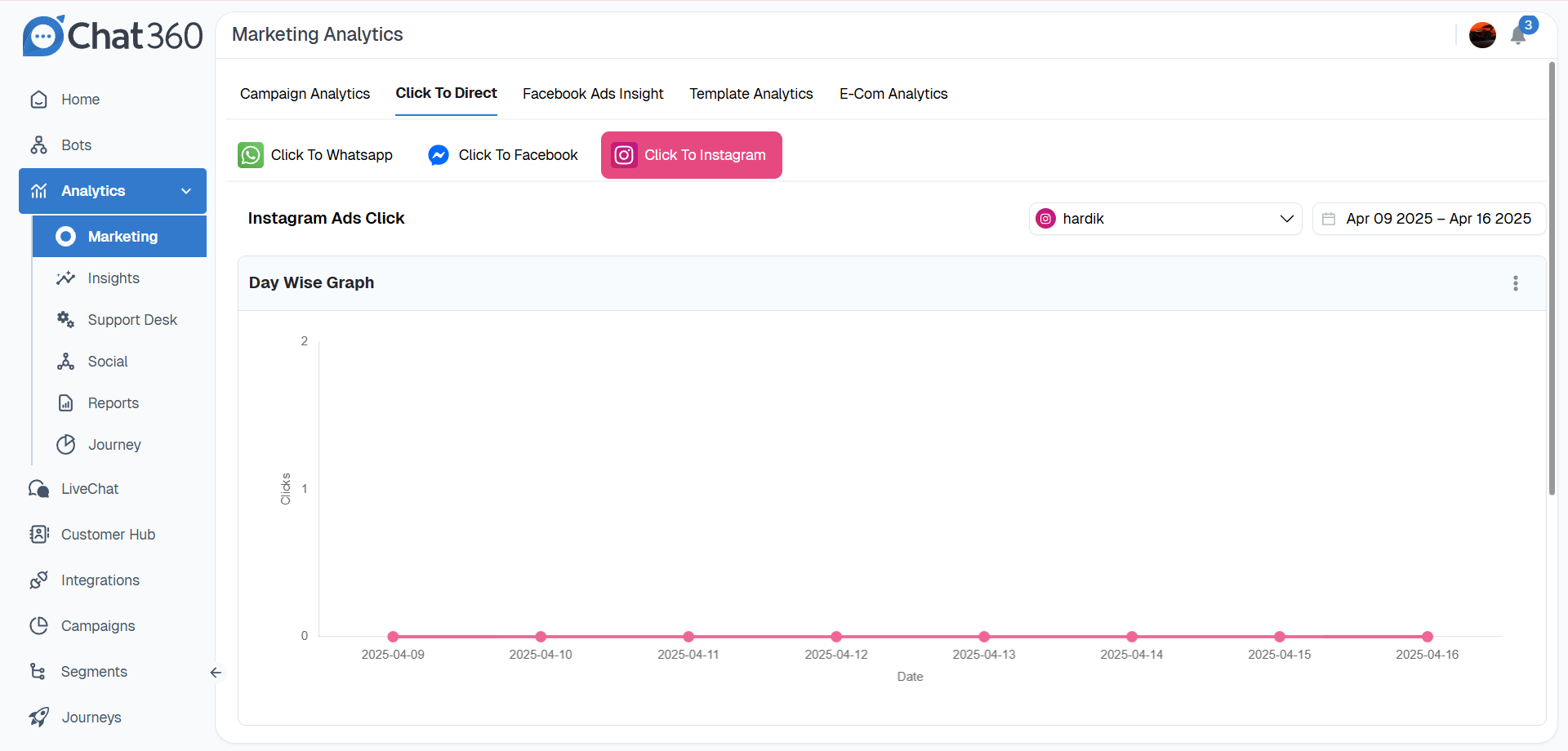
The Click to Instagram dashboard provides key metrics to monitor engagement with Instagram links.
Metric | Description |
|---|---|
Total Clicks | Displays the total number of times users clicked on Instagram call-to-action links. |
Account Selector | Allows you to select the connected Instagram Business Account for which you want to view analytics. |
Date Range | Use the date selector to analyze click activity over a specific period, such as daily, weekly, or monthly. |
Visual Analytics
The dashboard includes visual charts that help track engagement trends.
Overview Tile — Shows the total number of redirects to Instagram within the selected timeframe.
Day-wise Graph — A line chart displaying daily click activity. Hover over a data point to see the exact number of clicks recorded for that date.
Detailed Reporting
You can export detailed analytics data for deeper analysis.
Exportable CSV Report
Download a CSV file containing a detailed log of click events, including:
Click timestamp
User identifier (if available)
Source type (Ad, Post, Landing Page)
Source URL
Associated campaign or advertisement ID
Source Breakdown: This data helps identify which marketing channels generate the most traffic to Instagram.
Usage and Benefits
Profile Growth — Convert website visitors into Instagram followers by providing a direct path to your Instagram profile.
Product Showcase — Direct users to specific shoppable posts, product highlights, or featured content.
Direct Engagement — Initiate Instagram direct message conversations to capture inquiries, respond to questions, or provide personalized assistance.
Campaign Insights — Evaluate which campaigns, creatives, or placements generate the highest engagement on Instagram.
Best Practices
Use Targeted Landing Points
Link CTAs to specific Instagram destinations such as your profile page, product posts, or direct message greeting.
Add Tracking Parameters
Include UTM parameters in your URLs to track campaign performance and traffic sources in analytics tools.
Run A/B Tests
Experiment with different CTA text options such as "See Our Instagram Feed" or "Message Us on Instagram" to identify which performs better.
Automate Follow-Up Messages
Set up automated Instagram DM sequences to engage users immediately, qualify leads, or share product catalogs after they initiate contact.