Web Bots
How do you deploy an Agentic AI Web Bot? Follow this guide to publish your bot, add the embed script, configure domains and customize the chat widget.
The Web Bot allows you to embed an interactive chatbot directly on your website. This enables visitors to start conversations, ask questions, qualify leads, and access information without leaving your site.
By integrating a web chatbot, businesses can provide instant assistance, automate responses, and improve user engagement across their website pages.
Deployment Steps
Follow these steps to deploy a Web Bot on your website.
1. Publish Your Bot
Open Bot Builder in the Chat360 dashboard.
Design or update your chatbot flow.
Click Publish.
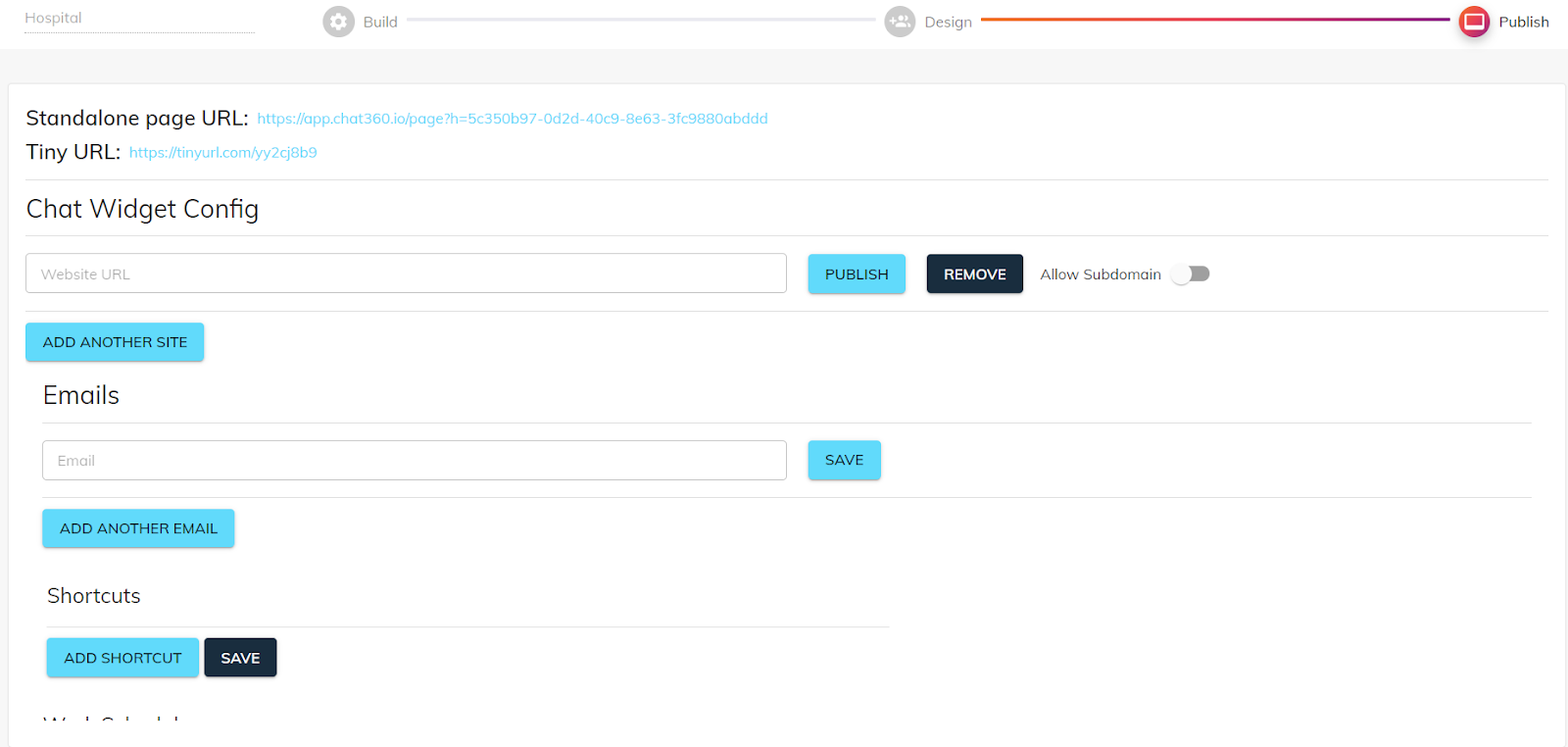
In the Chat Widget Configuration pop-up, enter your website URL.
Click Publish to generate the embed code.
2. Copy the Embed Script
After publishing the bot:
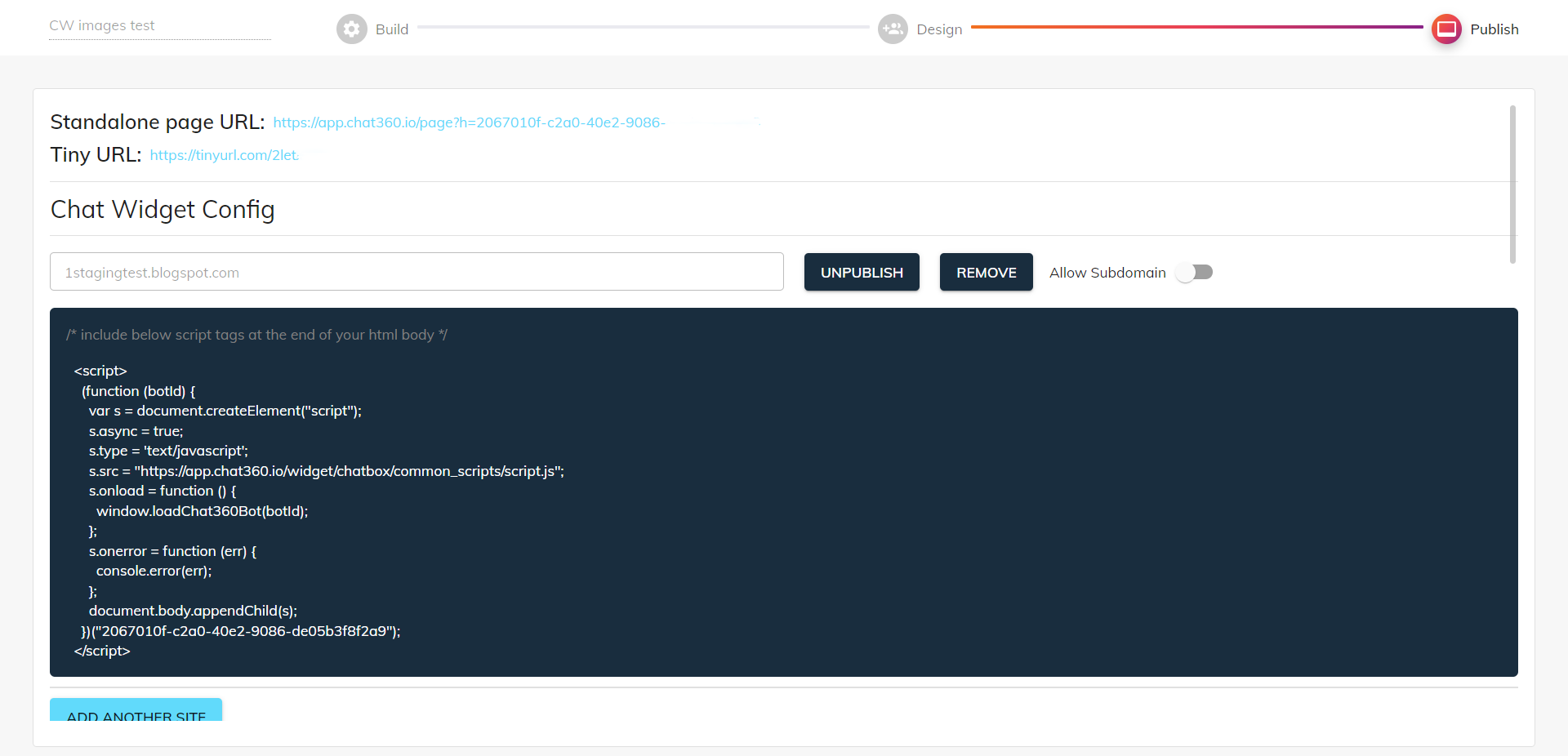
Copy the provided
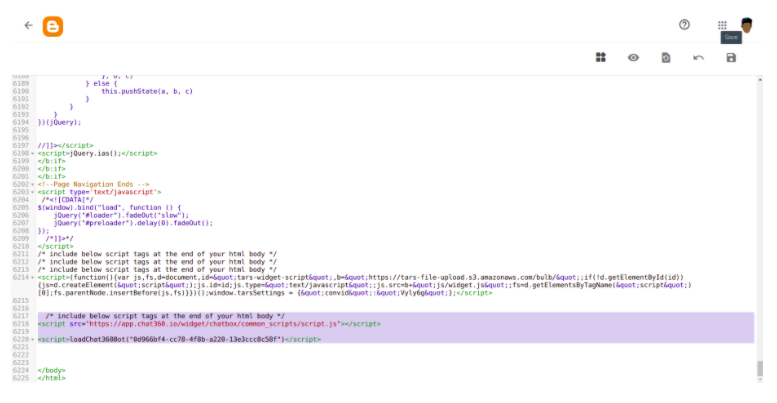
<script>embed snippet.Add the script to your website’s HTML template.
Place it just before the closing
</body>tag for optimal performance.
3. Configure Domain Permissions
To control where the chatbot can be used:
Select whether to allow or disallow subdomains.
Save the configuration.
Refresh your website to activate the chatbot widget.
Key Configuration Options
You can customize the chatbot widget to match your website’s design and user experience.
Widget Icon & Label: Upload a PNG icon (maximum 5 MB) to use as the chat launcher. You can also enable a custom label such as “Chat with us” and configure a delay timer for when it appears.
Hide on Scroll: Enable this option to automatically hide the widget when users scroll the page, helping maintain a clean browsing experience.
Position & Offset: Choose whether the chatbot widget appears on the left or right side of the screen. You can also adjust spacing using pixel offsets (for example, 20px from the bottom and 30px from the side).
Use Case Example
E-commerce Product Assistance: A web bot can help customers quickly find product information and recommendations while browsing.
Scenario: A customer browsing the Running Shoes category clicks the chat icon and asks, “What sizes are available?” The chatbot instantly responds with available sizes and can also suggest related products or collect the user’s email for follow-up offers.