Assigning a Phone Number to a Voice Bot
Ready to make your AI Voice Bot take calls? Connect your business number, activate the voice channel and start handling inbound or outbound calls.
To activate a Voice Bot, you must assign it to a phone number that is already onboarded in your Chat360 account. Once the number is assigned, the voice bot can start handling inbound calls or initiating outbound calls, depending on the bot configuration.
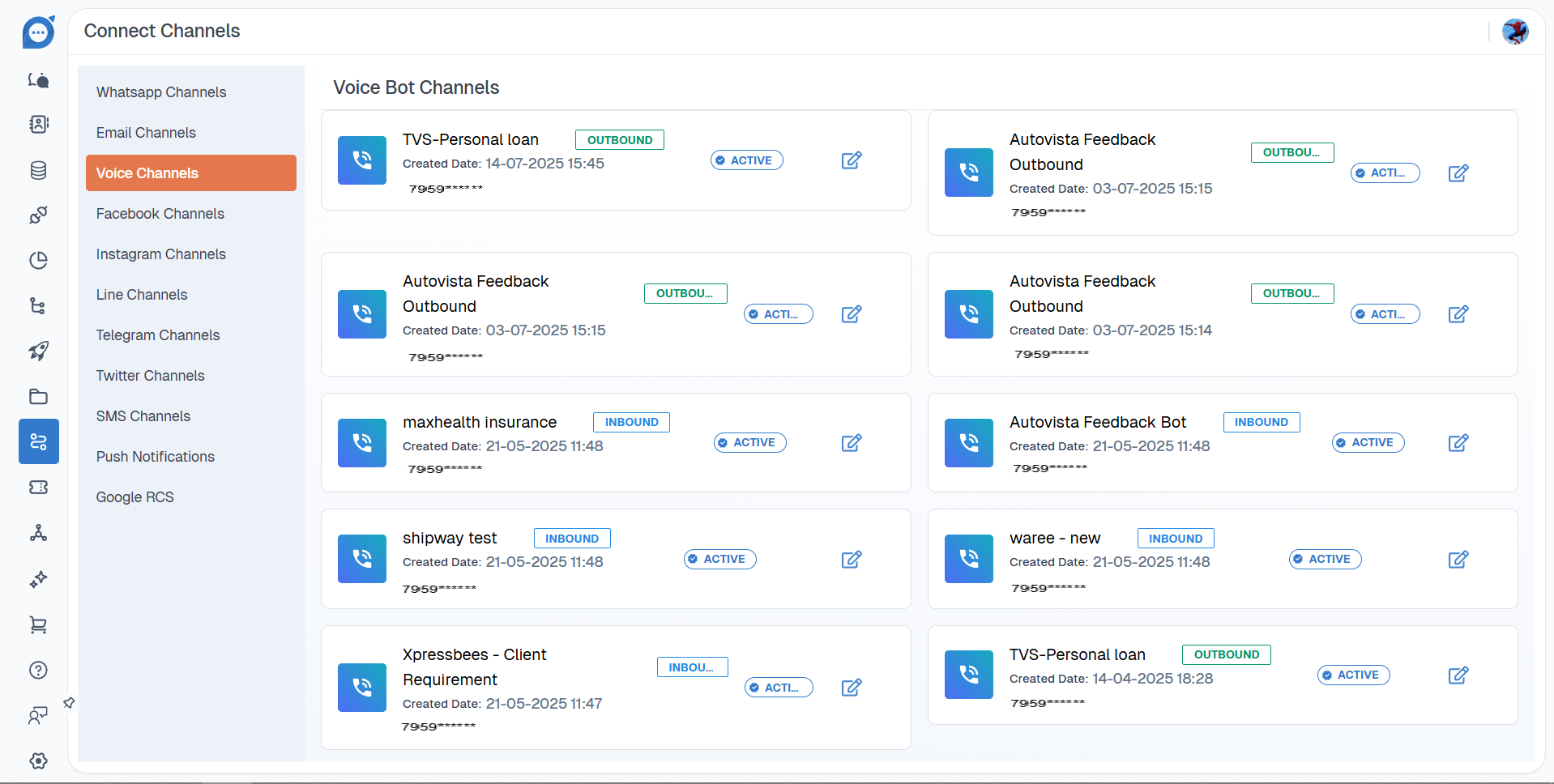
This process is applicable for both Inbound and Outbound voice bots.
Steps to Assign a Phone Number
Follow these steps to link a phone number to your voice bot:
Navigate to Channels from the main menu in the Chat360 dashboard.
Click the Voice Channels tab.
You will see a list of all phone numbers onboarded to your account.
Select the phone number you want to assign to your voice bot.
Choose the Voice Bot you want to connect with the selected number.
Enable the Active Status for that number.
Save the configuration.
Once the number is activated, the voice bot will be connected and ready to handle calls based on its configured flow