WhatsApp Redirect
Connect website visitors to WhatsApp instantly with a customizable chat widget built for lead generation, customer support, sales and inquiries.
The WhatsApp Redirect feature allows businesses to integrate a WhatsApp chat widget directly on their website. This widget enables website visitors to quickly start a conversation with your business on WhatsApp with a single click.
By placing a WhatsApp button on your website, users can seamlessly redirect from the website to WhatsApp, making it easier for them to:
Ask questions
Request support
Initiate inquiries in real time
This feature helps businesses improve customer engagement by offering a familiar and widely used messaging channel.
How to Configure WhatsApp Redirect
Follow the steps below to create and publish a WhatsApp Redirect widget.
Step 1: Create a Widget
Navigate to: Chat360 Home Page → WhatsApp Redirect
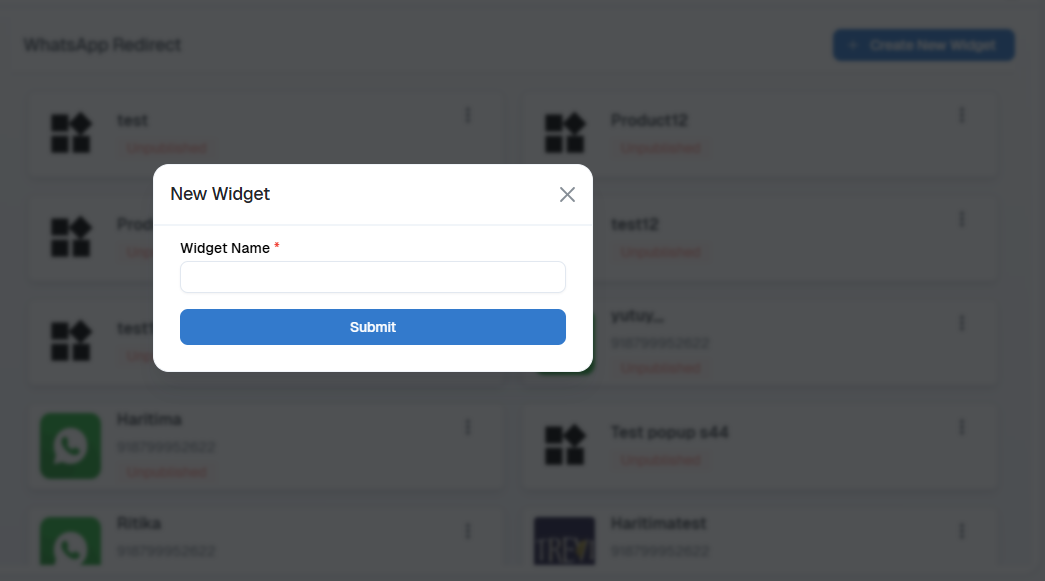
Click on Create New Widget
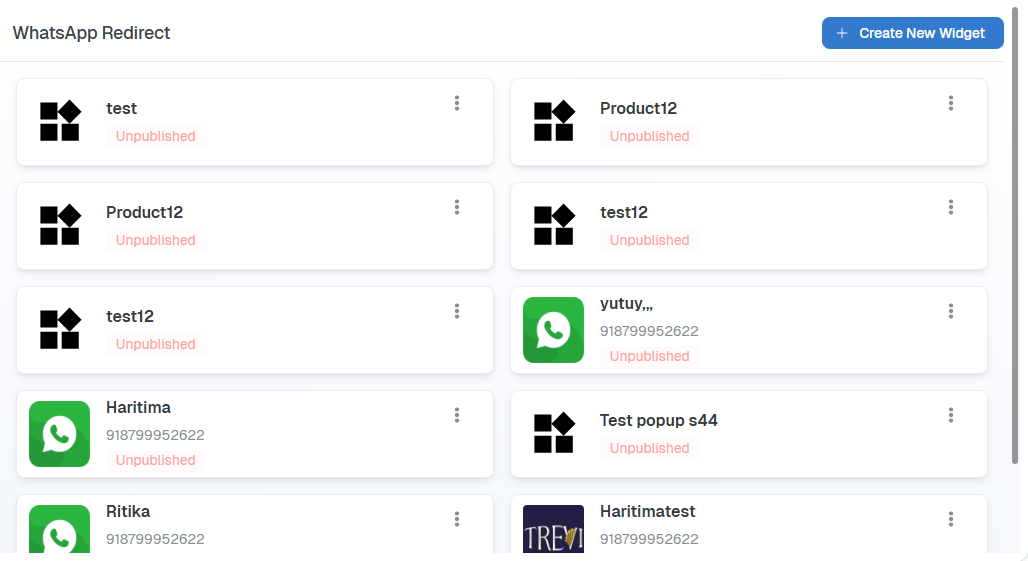
Enter a Widget Name for identification
Link the widget with your WhatsApp Business number
Choose a Widget Icon:
Select from available options
Or upload a custom icon matching your brand
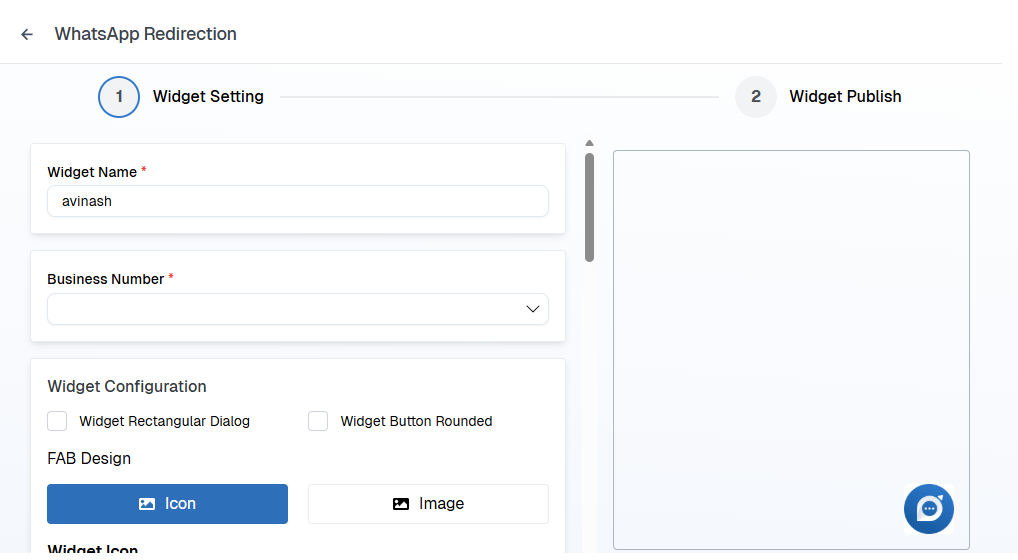
Step 2: Customize Widget Settings
You can configure the appearance and behavior of the WhatsApp widget based on your website design.
Options available:
Widget Size
Select the appropriate size to match your website layoutWidget Position
Choose where the widget should appear:Left side of the screen
Right side of the screen
Mobile Visibility
Enable or disable widget display on mobile devices
These settings ensure the widget integrates smoothly without affecting the browsing experience.
Step 3: Publish the Widget
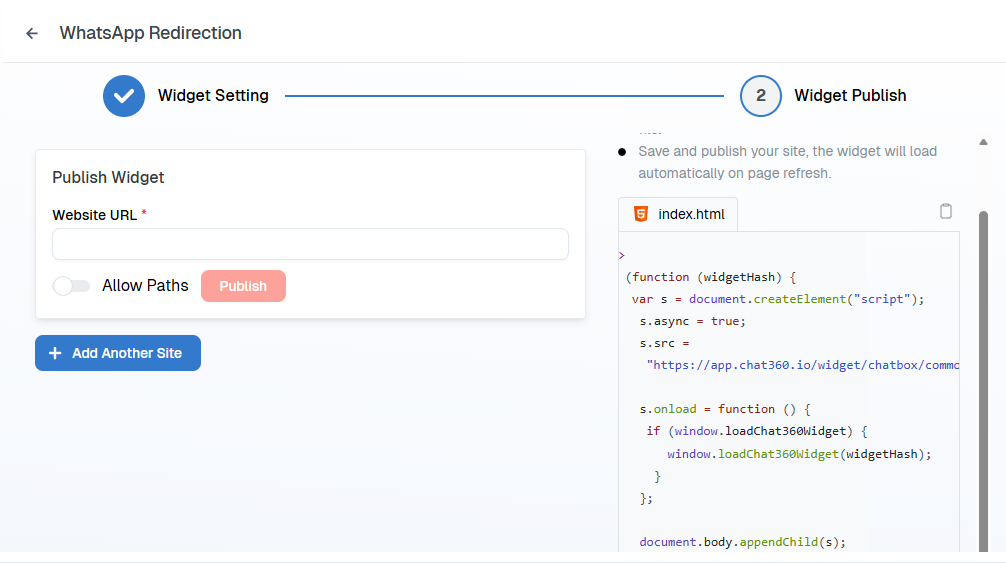
Enter the Website URL where the widget should be displayed
Click Publish
After publishing:
A JavaScript script will be generated
Copy the script
Paste it before the closing
</body>tag in your website’s HTML
Once added and deployed, the WhatsApp widget becomes active on your website.
Visitors can now click the widget button to start a conversation instantly.
Use Cases
The WhatsApp Redirect feature can be used in multiple business scenarios to improve customer interaction and conversion rates.
1. Customer Support
Provide instant support by allowing customers to contact your business directly via WhatsApp.
2. Lead Generation
Capture qualified leads as website visitors can easily reach out with inquiries about products or services.
3. Sales Assistance
Help customers make informed decisions by answering questions about:
Pricing
Availability
Product details
4. Appointment Booking
Allow users to schedule appointments easily for services such as:
Clinics
Salons
Consulting services
5. Order Inquiries
Enable customers to:
Track orders
Request product information
Resolve issues quickly
Summary
The WhatsApp Redirect widget is a simple yet powerful tool that enhances customer communication, boosts engagement, and streamlines business interactions through a widely trusted messaging platform.