RCS Template Creation
RCS templates in Chat360 allow you to create structured, reusable messages for campaigns. These templates enable you to send consistent, interactive, and engaging content to users over RCS. You can create different types
RCS templates in Chat360 allow you to create structured, reusable messages for campaigns. These templates enable you to send consistent, interactive, and engaging content to users over RCS.
You can create different types of templates based on your use case — ranging from simple text messages to rich, media-driven experiences.
How to Create an RCS Template
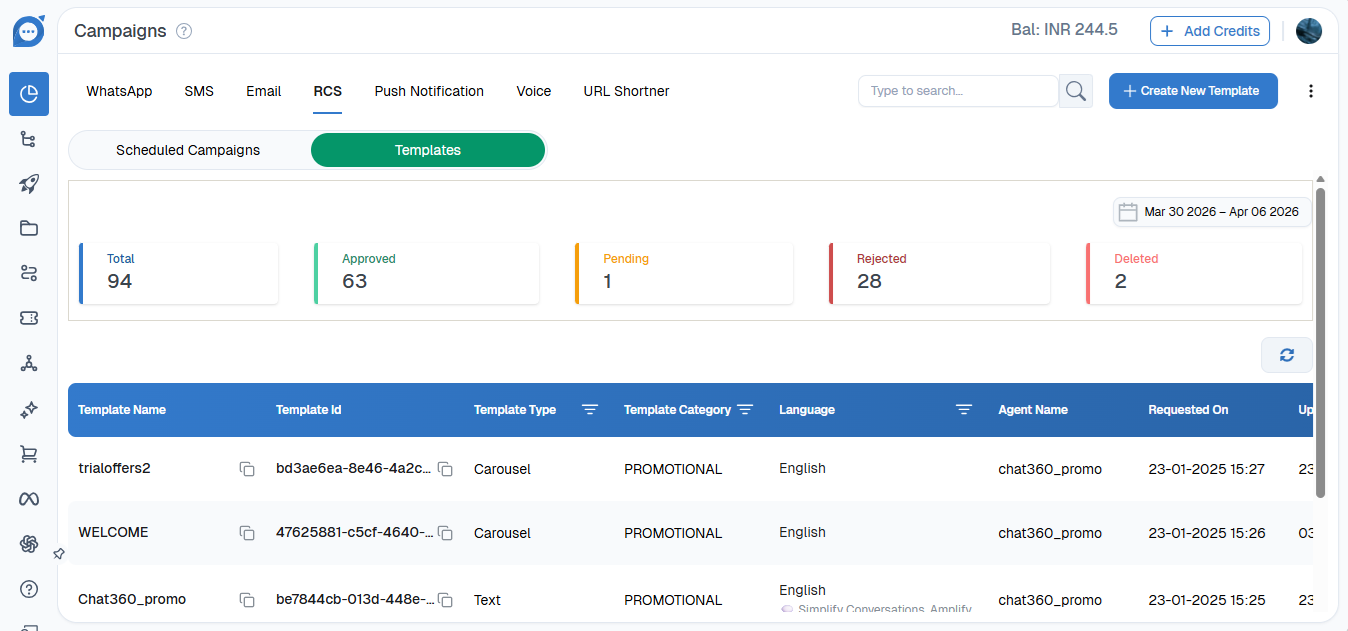
Follow these steps to create a template:
Navigate to Campaigns from the dashboard
Select RCS
Go to the Template section
Click on Create Template
Choose the type of template you want to create
Add content and configure the required fields
Save and submit the template for use
Types of RCS Templates
Chat360 supports three types of RCS templates:
1. Simple Text Template
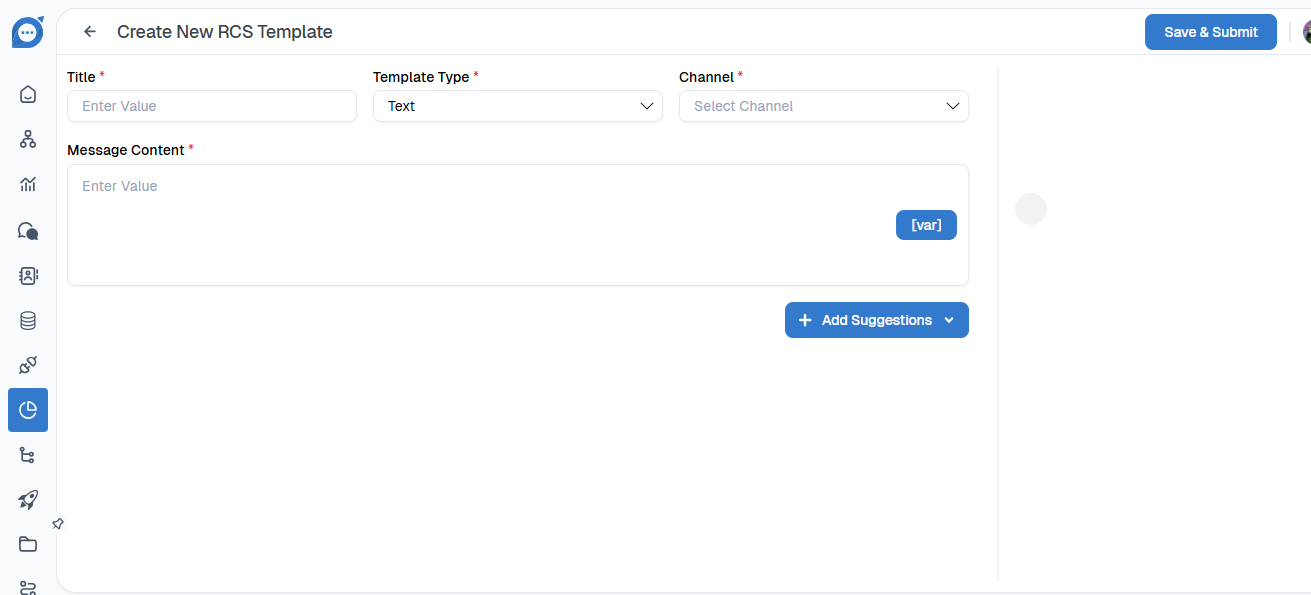
This is the most basic template type used for sending plain text messages.
Features:
Text-only message
Quick and easy to create
Ideal for alerts, updates, and notifications
Use Cases:
OTP or verification messages
Order updates
General notifications
2. Rich Card Template
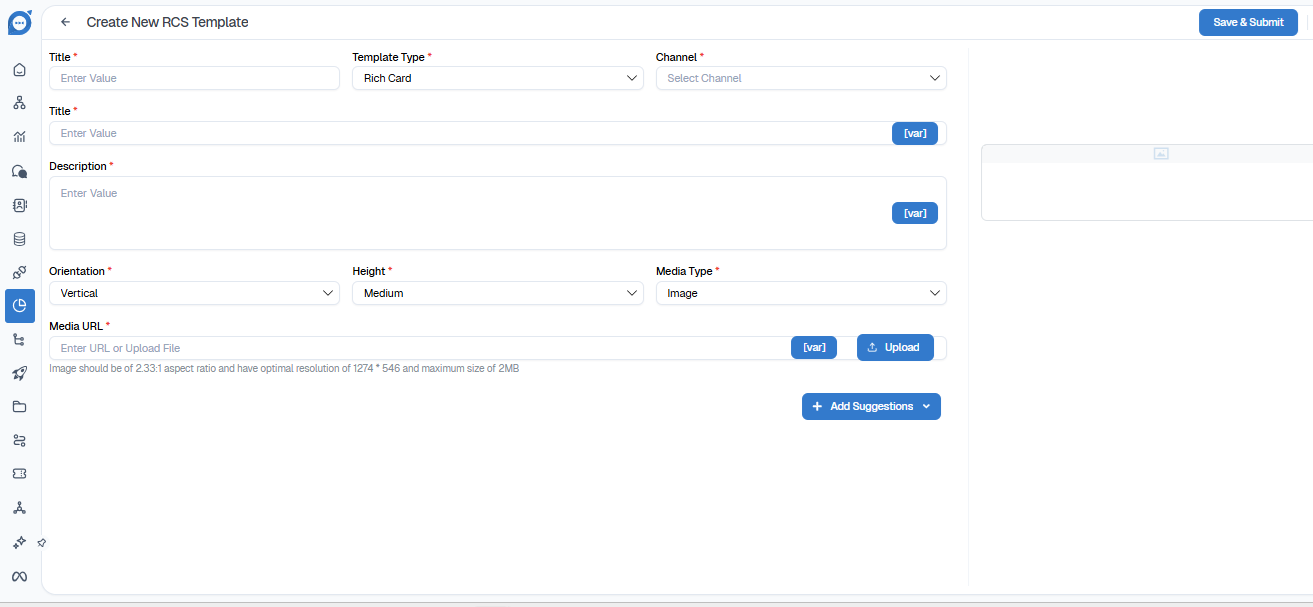
Rich cards allow you to send visually enhanced messages with media and interactive elements.
Features:
Image or media support
Title and description
Action buttons (CTA)
Better engagement compared to text
Use Cases:
Product promotions
Offers and discounts
Announcements with visuals
3. Carousel Template
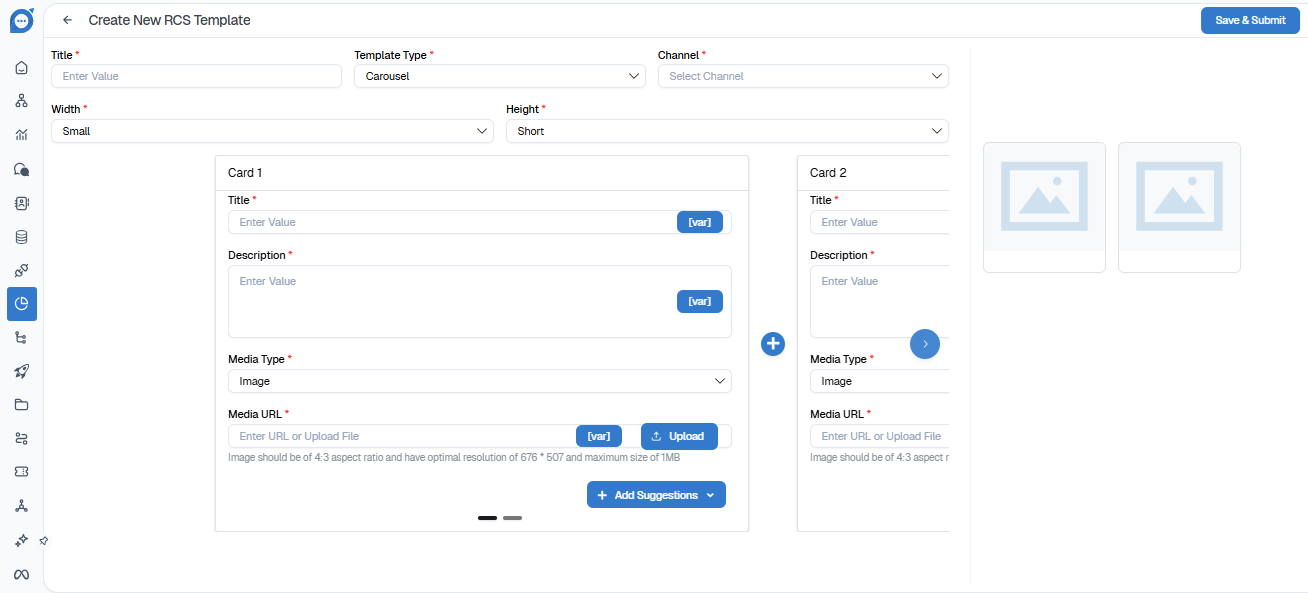
Carousel templates allow you to showcase multiple rich cards in a single message, enabling users to swipe through options.
Features:
Multiple cards in a horizontal scroll
Each card can have its own image, text, and buttons
Highly interactive and engaging
Use Cases:
Product catalogs
Multiple offers
Featured listings
Best Practices
Keep content clear and concise
Use high-quality images for rich cards and carousels
Add strong call-to-action buttons
Ensure templates align with your campaign goals
Test templates before launching campaigns