Overview
Create and automate multichannel campaigns across WhatsApp, SMS, Email, RCS, Voice, Telegram and Push with scheduling, personalization, retries and templates.
A Campaign is a campaign automation system within Chat360 that empowers users to manage large-scale messaging programs confidently and flexibly - whether you’re doing marketing broadcasts, reminders, alerts, promotions, or engagement interactions - all while handling scheduling, personalization, retries, and channel options with minimal manual effort.
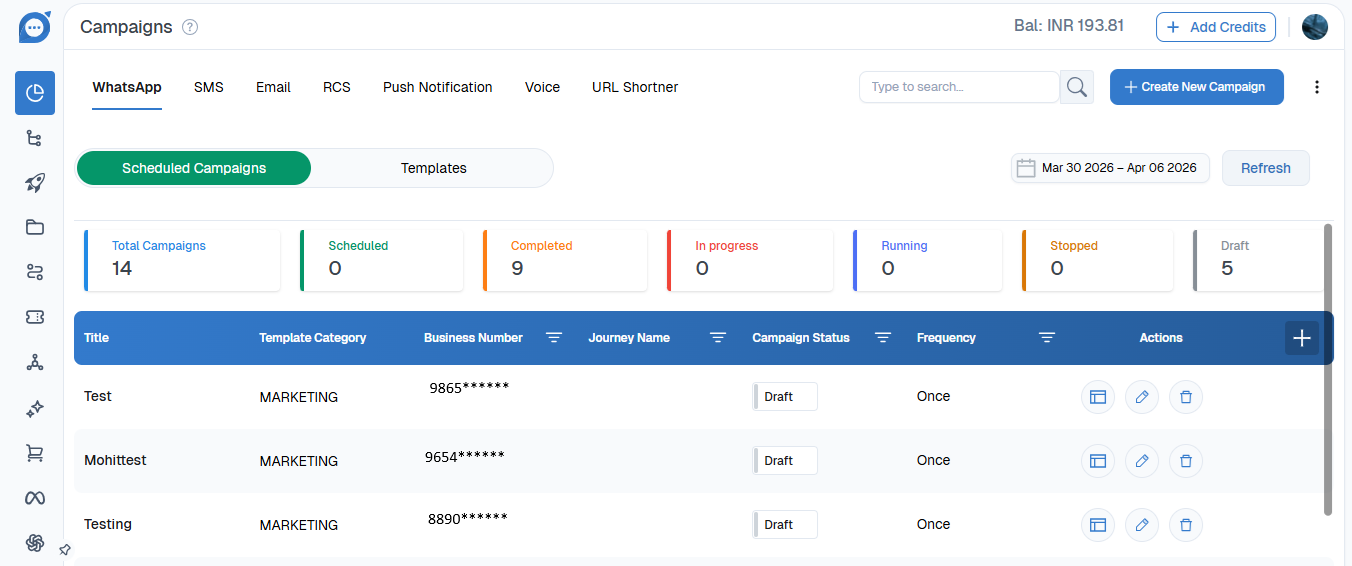
campaigns are divided into Whatsapp campaigns,SMS,Email,RCS,Push Notification,Voice &Telegram campaigns. It also includes a feature called link shortener which creates the short link for the campaigns.
Before creating a campaign, it is important to understand what a template is and how it is used.A template is a pre-approved message format that allows you to send structured and personalized communication to your audience. Templates can include dynamic variables (such as name, date, order ID, etc.) that automatically populate with recipient-specific data
The Campaign Scheduler is used to launch campaigns using these approved templates. In simple terms:
You first create or select a WhatsApp template.
Then, you use the Campaign Scheduler to send that template to your chosen audience at a scheduled time.
Templates define the message content, while the Campaign Scheduler controls when and to whom the message is delivered.